

📅 February 24, 2026 | ✍️ Unknown
[vc_row][vc_column][vc_column_text]Suppose you’re about to kick off something amazing with your team, be it a campaign, a client proposal, or a whole new product launch. However, when one person updates the document, the other person misses it. Suddenly, there are multiple drafts of one single document floating around, lost emails, and mish-mashed feedback. By the end of the week, you’re left juggling five different drafts, none of which are quite right.
Does this sound familiar to you?
In today’s remote and hybrid work environments, this kind of chaos is all too common. But it doesn’t have to be this way. Real-time document collaboration tools are here to help. They keep your team connected, your files organized, and your workflow smooth, no matter where everyone is working from.
So, without further delay, let’s take a look at what makes these collaboration tools effective, what features to look for, and which collaboration tools are trending. By the end, you’ll know how to improve teamwork, keep all your files in one place, and say goodbye to the chaos of multiple versions and endless email chains. Let’s get started with the basics.
Imagine a team collaboration space where everyone can brainstorm, edit, and comment on, and collaborate with documents in real time from anywhere – that’s where a team collaboration tool shines! Team collaboration tools are great because they combine chat, file sharing, collaboration on documents, and project management execution into one easy-to-use platform.
Real-time collaboration enables everyone to stay on the same page, which makes teamwork easy and smooth.
However, why do we need collaboration tools so much in 2026? Let’s find out together![/vc_column_text][vc_message message_box_style=”solid-icon” message_box_color=”black” icon_type=”openiconic” icon_openiconic=”vc-oi vc-oi-book-open” css=”.vc_custom_1771908791073{border-radius: 10px !important;}”]Also read 👉Enhancing Team Productivity Through Real-Time Collaboration[/vc_message][vc_column_text]
Well, the nature of work has greatly changed. Teams are often spread out across different cities, countries, and even time zones. Remote work has become a normal part of life for many organizations.
Team collaboration tools act like a shared cupboard for all your work files. Instead of saving documents on different computers or hunting through emails, everything is stored in one common space. This makes it easy for everyone to find the right document whenever they need it, without asking others or wasting time searching.
When documents are shared through email, many copies are created. One person edits an old file, another edits a new one, and soon no one knows which version is correct. Collaboration tools solve this by keeping just one main document. Everyone works on the same file, so there is no confusion about what is updated and what is final.
Sharing documents becomes very simple with collaboration tools. Instead of downloading files and attaching them to emails, team members can share documents using a link. With just one click, others can view or edit the document. This makes sharing faster and avoids unnecessary steps.
Collaborative tools allow everyone involved in the project to work simultaneously (on the same document). Team members can write, edit, comment, or suggest changes instantly. No more waiting for feedback; instead, the process is faster due to the team feeling that they are working together as one unit (rather than feeling disconnected).
Collaboration tools clearly show who made changes and when they were made. Having this level of visibility helps team members understand the contribution of each team member. It can also eliminate confusion around expectations and make sure that each team member is held accountable for fulfilling the expectations they set for themselves.
When document sharing is simple and organized, teams spend less time fixing mistakes or following up on files. Work becomes smoother and more enjoyable. People can focus on their tasks instead of worrying about missing documents or wrong versions.
So yes, collaboration tools are absolutely important. Now that we understand why they matter, let’s explore the different types of collaboration software that make document sharing easy.[/vc_column_text][vc_message message_box_style=”solid-icon” message_box_color=”black” icon_type=”openiconic” icon_openiconic=”vc-oi vc-oi-book-open” css=”.vc_custom_1771908827708{border-radius: 10px !important;}”]Read More: 15 Team Building Skills You Must Develop for Better Collaboration![/vc_message][vc_column_text]
Different teams have different needs, which is why collaboration software comes in many forms. Some tools focus only on documents, while others combine file sharing with communication and task management. Below are the main types of collaboration software used for easy document sharing.
Let’s explore each of them one by one!!
Document collaboration tools are designed mainly for creating and working on documents together. Team members can write, edit, comment, and review files in real time. Everyone works on the same document, so there is no confusion about versions. These tools are ideal for teams that handle reports, proposals, guides, or any content that needs regular input from multiple people.
Cloud Storage Tools online store files, allowing teams to quickly share large quantities of data or back up important documents safely using links & folders. So, cloud storage tools provide a means for keeping files safe, backing up important documents, and quickly sharing large files without using email attachments.
All-in-one collaboration platforms bring multiple features together in one place. They combine document creation, file storage, sharing, comments, and sometimes chat or task management. These platforms reduce the need to switch between different tools and help teams manage documents and collaboration in a more organized and streamlined way.
Now, let’s move further to explore some of the checklists you follow while choosing an ideal collaborative software for you and your team to make your work smoother.[/vc_column_text][vc_cta h2=”” add_button=”right” btn_title=”Sign Up Now” btn_style=”classic” btn_color=”juicy-pink” add_icon=”left” i_icon_fontawesome=”fa fa-rocket” i_color=”white” i_background_style=”rounded-less” i_background_color=”custom” css=”.vc_custom_1771915427327{border-top-width: 2px !important;border-right-width: 2px !important;border-bottom-width: 2px !important;border-left-width: 2px !important;border-left-color: #0a0101 !important;border-left-style: solid !important;border-right-color: #0a0101 !important;border-right-style: solid !important;border-top-color: #0a0101 !important;border-top-style: solid !important;border-bottom-color: #0a0101 !important;border-bottom-style: solid !important;border-radius: 10px !important;}” btn_el_class=”bold-button-text” i_custom_background_color=”#000000″ btn_link=”url:https%3A%2F%2Fbit.ai%2F%3Futm_source%3Dblog%2Bpost%26utm_medium%3Dcta%2Bwidget%26utm_campaign%3DHome%2BPage||target:%20_blank|”]Turn scattered team documents into one organized workspace with Bit.ai.[/vc_cta][vc_column_text]
While choosing a perfect team collaboration tool, there are some basic features that each team should consider, whether it is remote, hybrid, or in-office. Here’s a checklist of must-have features to look for before choosing a collaboration software.
Imagine that your whole team is working on a document all at once. You will see comments appear instantly, you will see edits happening live, and there’s no one left wondering, “Is this the most up-to-date version?” There’s no need to email attachments back and forth or dig through threads to find the right file. This is the heart of what document collaboration tools do best. Real-time collaboration helps everyone stay on the same page, feedback happens instantly, and things keep moving forward without any confusion or delays.[/vc_column_text][vc_message message_box_color=”alert-info” icon_fontawesome=”fa fa-lightbulb-o” css=”.vc_custom_1771914588373{border-radius: 10px !important;}”]Quick Fact: Did you know that 70% of employees believe poor collaboration hinders productivity and wastes time?[/vc_message][vc_column_text]
Collaboration isn’t just about editing documents; it’s about not losing your mind trying to find them later. The right collaboration tool should have organised workspaces to keep all files, notes, and assets in one place, so your team can quickly find what they need. No more hunting through emails or folders, everything lives in a structured, easy-to-navigate workspace, which saves time and reduces chaos.
In order to not waste time switching between the various apps that you use, the best collaboration software for teams connects to all the apps your team is already using. For example, some good integration platforms you’re likely to use would be: from Google Drive, OneDrive, Dropbox, Figma, GitHub, Trello, Miro, YouTube, Vimeo, and Flickr. Whether it’s embedding charts, videos, code snippets, or files, these integrations bring all your content together in one place, keeping workflows smooth and teams fully aligned.
Good teamwork goes beyond just talking: it’s about getting things done. A great collaboration tool should let your team create to-do lists, assign tasks, set deadlines, and track progress, all in the same place where you chat and share files. It keeps everything connected, so your team can plan, work, and stay organized without jumping between apps.
 5. Security Controls
Regardless of the type of project you’re creating, either an internal doc or a report that will be shared with clients, you will want to have control over who can view, edit, or share the docs. This means being able to give or remove access, set different permission levels, and keep sensitive information safe. Look for collaboration tools that include essentials like two-factor authentication, SSO, and password-based access controls.
Your documents should not be deskbound in modern days. Cloud-based tools promise accessibility of files at all times from any place and using any device. Your online collaboration tool must allow your teammates to work remotely and remain productive, whether the teammate is at home, on the road, or on-site.
Even the most powerful tool won’t get used if it’s clunky or frustrating. A clean, intuitive interface makes collaboration faster and helps everyone get on board quickly. Your team shouldn’t require hours of training just to learn how to use a collaboration tool or its built-in AI features. The best tools feel simple to use from day one, and let people focus on their work, not the software.
Sometimes, mistakes happen, and it’s easy to lose track of changes when multiple people work on the same document. The best collaborative software will give you a history of versions and show who made changes to what, as well as when they were made. You can easily compare versions, restore earlier drafts, or review progress over time. This creates accountability for all members of your team, reduces confusion, and makes sure your team has the most up-to-date, accurate content to work with at all times.
Now, it’s time to check some of the top collaboration tools for document sharing in the next section. So, get ready to learn about the advanced team collaboration tools.
Now that the hybrid and remote workforce is the norm, the need for better, faster, and more connected teamwork has increased. Here’s a list of some of the best tools available to facilitate improved team collaboration and create a more effective workplace.
Bit.ai is an AI-powered docs, wikis, and knowledge management platform for teams and individuals to create, share, and collaborate on content, all in one place. With Bit.ai, you create beautiful, interactive living documents where you can embed rich media, link content, and integrate your favorite tools seamlessly, turning static docs into dynamic knowledge hubs.
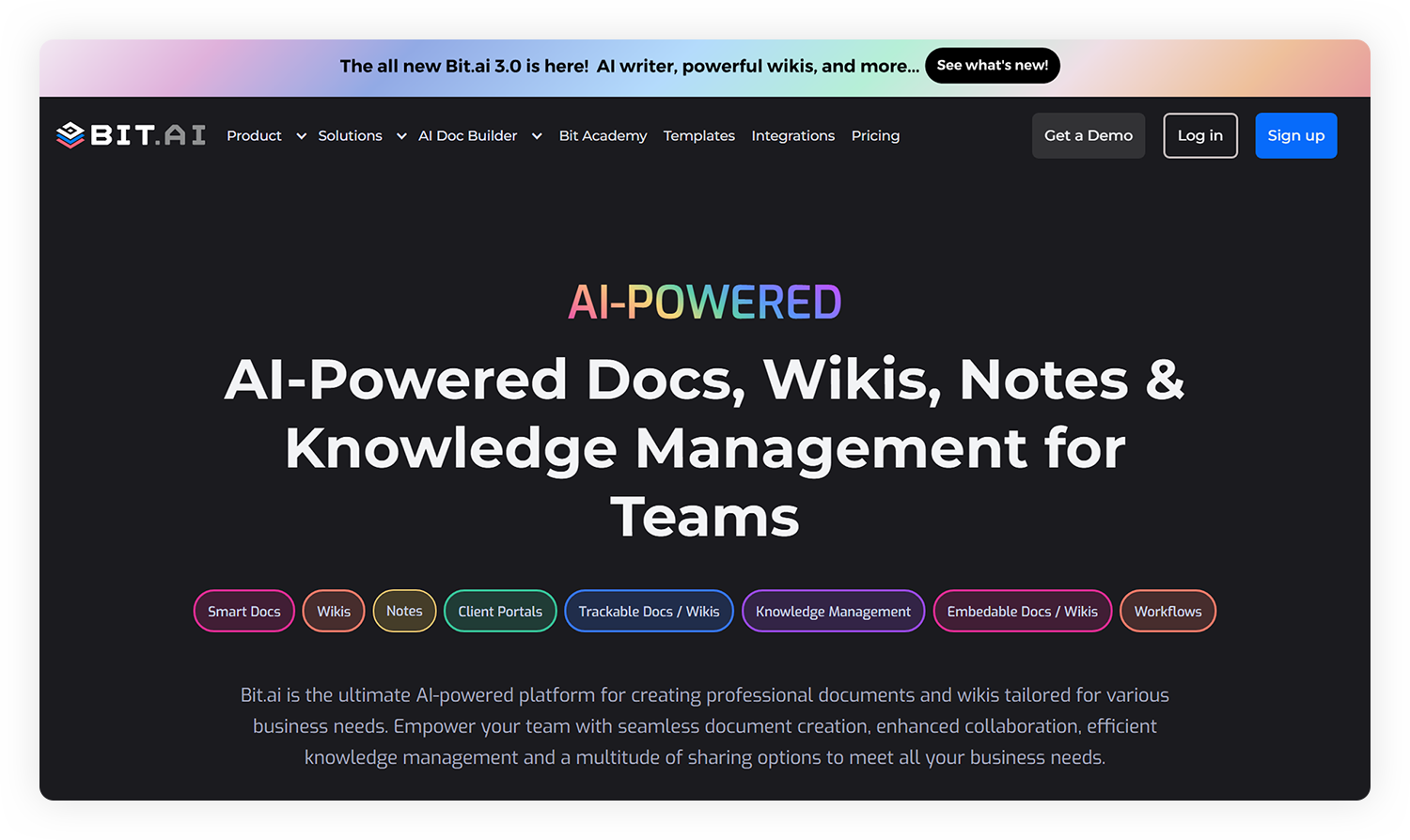
Apart from documentation, collaboration is effortless: you can share documents via live links or export in multiple formats like PDF, Word, and Markdown. You can also control permissions and comment directly within documents. Utilize security features like two-factor authentication, SSO, and password-based access to help ensure sensitive information is shared with the right audience.
In short, Bit.ai makes teamwork smoother, faster, and smarter, so your team can focus on what really matters: getting work done.
Let’s explore the amazing features of the smartest team collaboration tool, Bit.ai.
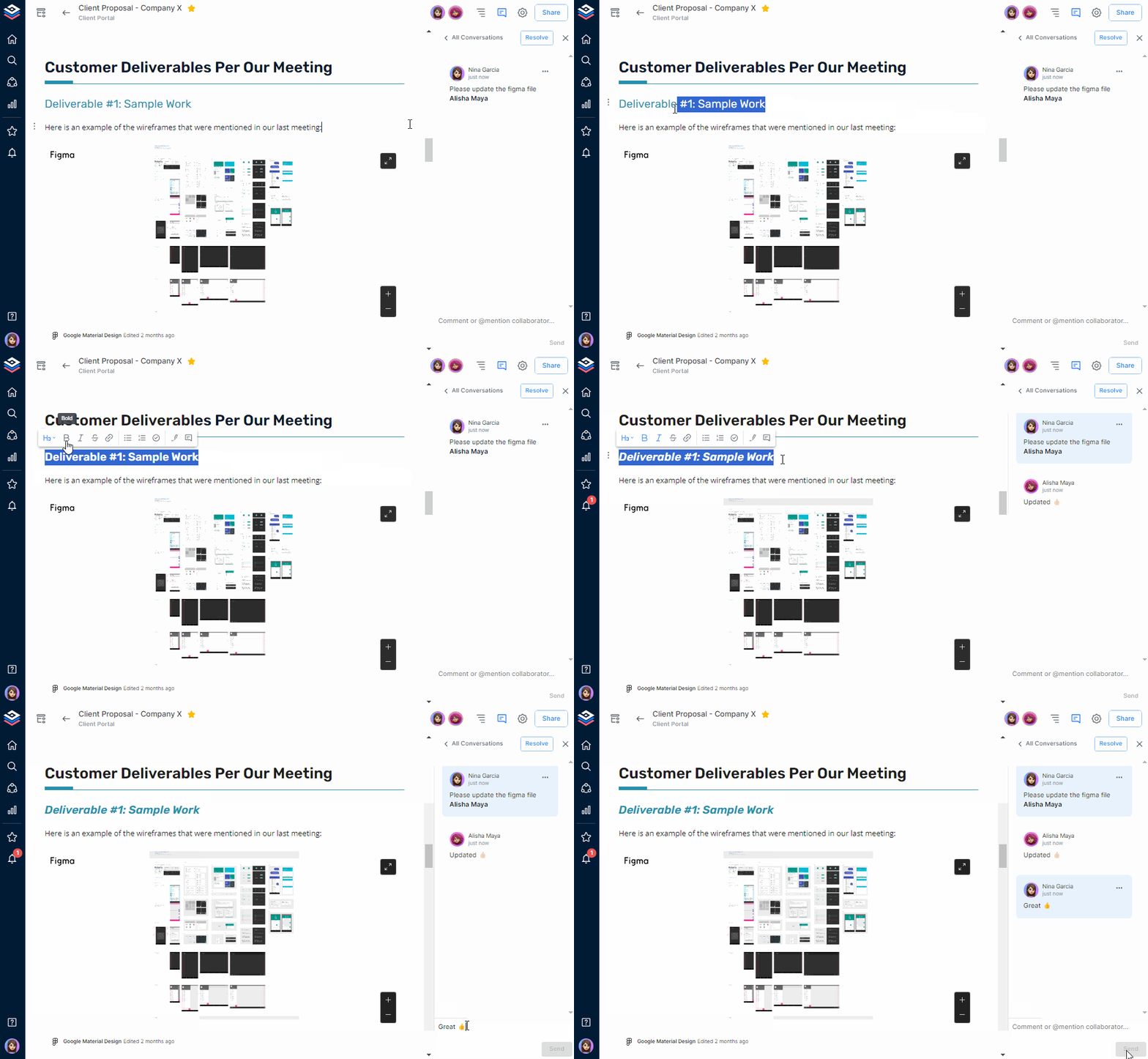
✔️ Live Editing & Commenting
Easily collaborate with your team when you edit documents together. You can highlight text and add @mention to your teammates to start discussions directly to enhance communications and minimize feedback loop time with smart docs.
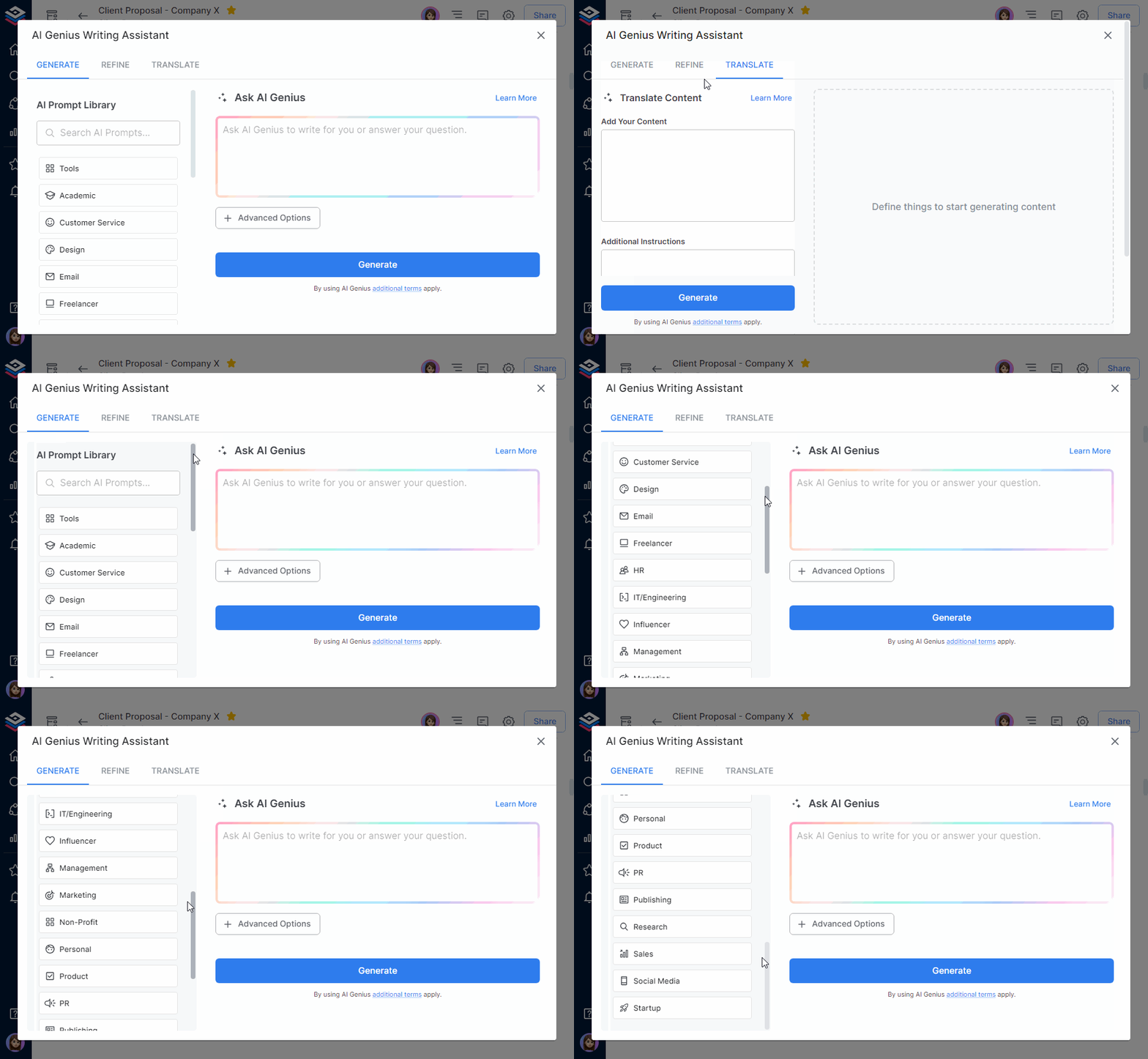
✔️ AI Genius Writer
Use Bit.ai’s AI Genius Writer to generate customized content, outlines, emails, research briefs, and pros/cons lists. You can leverage its ability to write your content with 300+ pre-embedded prompts and translate your input into many languages and formats, including tables, bullet points, quotes, etc, to get immediate professional-quality documents.
✔️ AI Doc Builder
Bit.ai’s AI Document Builder helps you create fully structured, professional documents from scratch in minutes. Simply provide your ideas or input, and it automatically generates well-organized documents, complete with headings, bullet points, tables, and summaries.
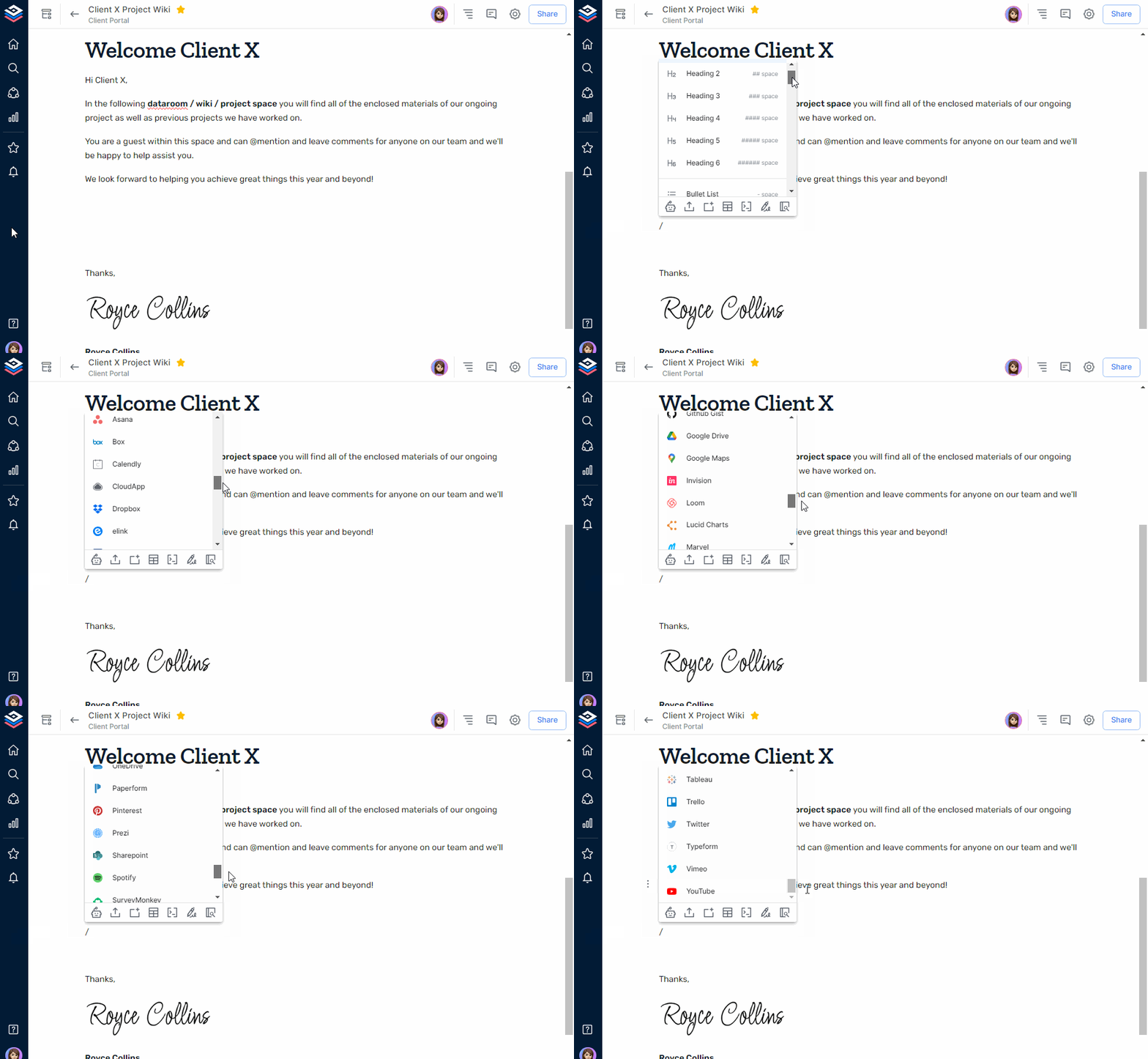
✔️ Rich Media & 100+ Integrations
You can embed over 100 content types (including Figma, Google Sheets, Typeform, videos, code blocks, etc) in addition to your documents with 100+ app integrations. “Living documents” update in real-time, giving your team dynamic and up-to-date insights at a glance.
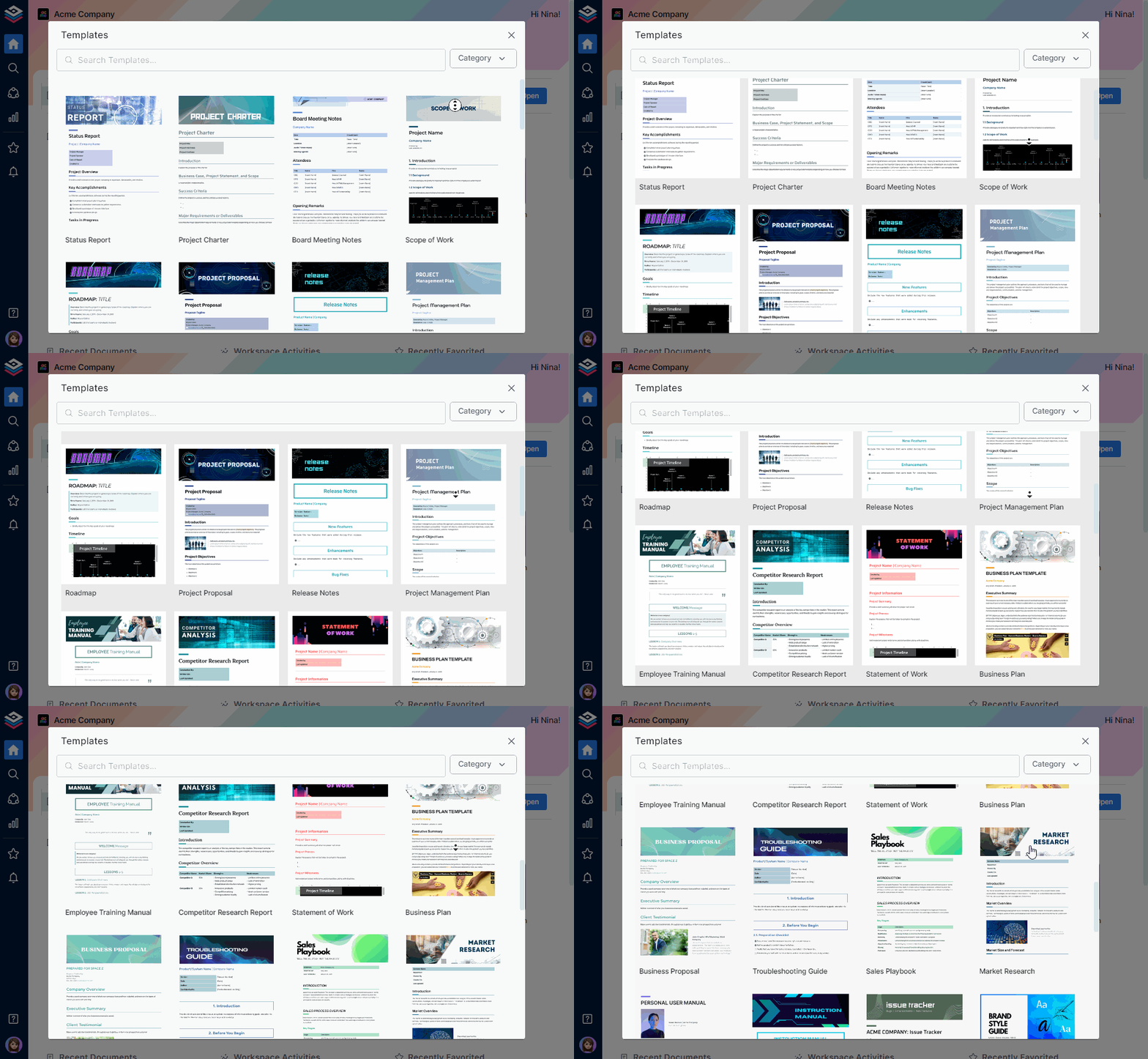
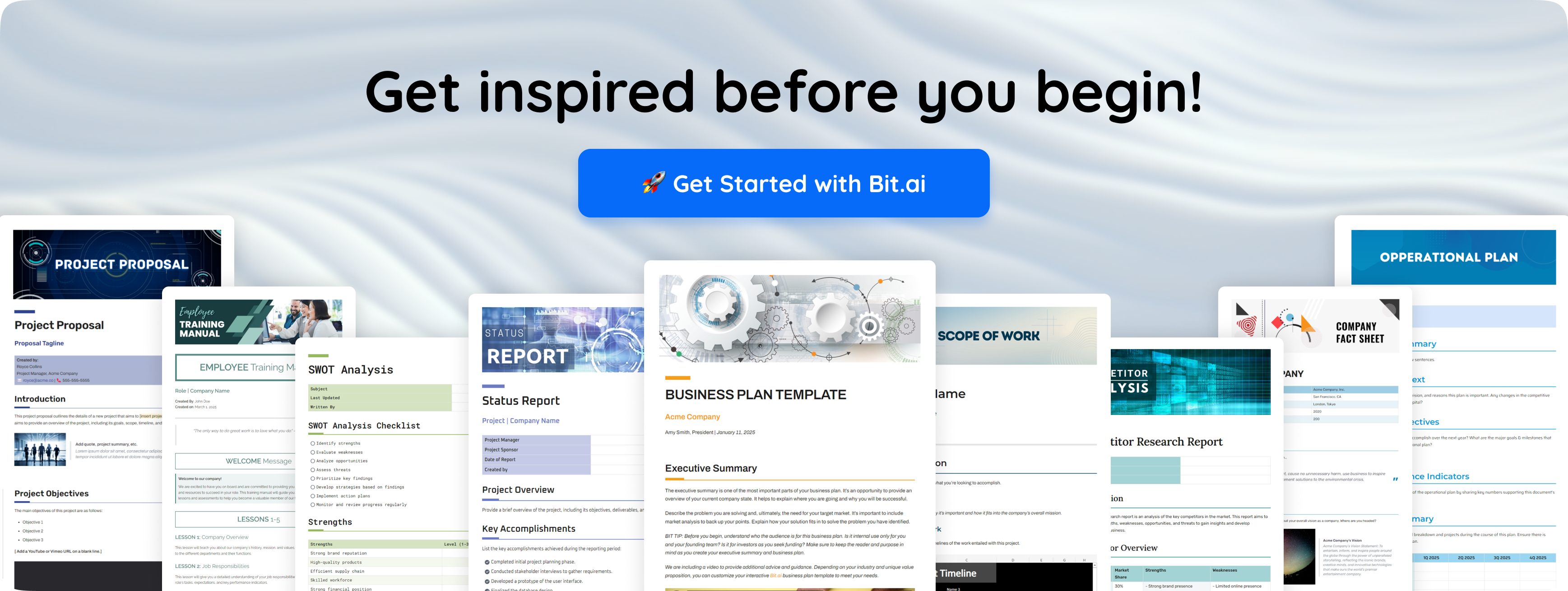
✔️ Professional Templates
Start faster with Bit.ai’s extensive library of pre-built templates for reports, proposals, meeting notes, and more. These professional templates save time, maintain consistency, and make it easy for teams to produce professional documents without starting from scratch.
✔️ Advanced Sharing
You can share content through live links that are constantly updated in real-time, trackable links that let you observe how many people are making changes to the content. There are even more features, including password protection to view a document, link expiration, and guest login controls.
✔️ Smart Wiki & Knowledge Base
At Bit.ai, it’s simple to manage and grow your team’s knowledge with unlimited wikis inside spaces. Whether it’s company policies, project docs, or training guides, everything is kept organized, structured, and accessible.
Pricing: Free Plan & Paid Plans Starting at ~$8/user/month
Google Workspace has integrated document creation, storage in the cloud, and real-time collaboration into a single easy-to-use platform for many business teams of any size. It is quick and simple to work together as a team with the ability to create documents using Google Docs, store those documents using Google Drive, and share those documents instantaneously without having to worry about creating multiple versions or who has access to the document.
It focuses on helping teams collaborate in real time, making it easy to write, edit, comment, and review documents together. Since everything is cloud-based, team members can access files from anywhere, which makes it ideal for remote and hybrid teams.
Pricing: Free Plan & Paid Plans Starting at ~ $7/user/month[/vc_column_text][vc_message message_box_style=”solid-icon” message_box_color=”black” icon_type=”openiconic” icon_openiconic=”vc-oi vc-oi-book-open” css=”.vc_custom_1771914832625{border-radius: 10px !important;}”]Read More: Improve Team Collaboration with these 5 Simple Yet Impactful Ways![/vc_message][vc_column_text]
 Microsoft Teams can be considered the powerhouse in chat, video, file sharing, and integration with Office. Best for organizations encased in Microsoft 365. This one is a no-brainer that teams are constructed to manage teams powerfully, communicate through messaging and video conferencing, and share files in real-time. It can be called a full-featured online collaboration system.
Pricing: Free Plan & Paid Plans Starting at ~ $4/user/month
 Dropbox is a cloud-based file storage and sharing tool that makes it easy for teams to store, organize, and share documents. It is popular among teams because it has a simple interface, can be relied on for keeping files up-to-date between different users, and allows teams to store their files in a manner that is much easier than using email attachments. Users are able to send/upload their files or create folders, all while being able to easily share them with others.
The major function of Dropbox is the storage and sharing of files. In terms of creating documents, Dropbox won’t help with that as much. However, if you have a team that needs a safe place to store their files, share those files with each other and/or clients, and be able to access all of their files, regardless of location, Dropbox is a solution.
Pricing: Free Plan & Paid Plans Starting at ~ $9.99/user/month
 Confluence is built for teams to document ideas, share knowledge, and keep all their work organized in a single, easy-to-access workspace. It is commonly used for internal documents like company guides, meeting notes, project plans, and team knowledge bases. Teams can work together on pages, leave comments, and keep information structured and easy to find.
Confluence focuses on long-term documentation and knowledge sharing. It helps teams keep important information organized, updated, and accessible, which makes collaboration smoother and reduces repeated questions or miscommunication.
Pricing: Free Plan & Paid Plans Starting at ~ $5.42/user/month.
Each tool does some things better than others, so the decision can depend on your team and its needs and workflows. Now, let’s start to tie it up![/vc_column_text][vc_cta h2=”” add_button=”right” btn_title=”Sign Up Now” btn_style=”classic” btn_color=”juicy-pink” add_icon=”left” i_icon_fontawesome=”fa fa-rocket” i_color=”white” i_background_style=”rounded-less” i_background_color=”custom” css=”.vc_custom_1771915454388{border-top-width: 2px !important;border-right-width: 2px !important;border-bottom-width: 2px !important;border-left-width: 2px !important;border-left-color: #0a0101 !important;border-left-style: solid !important;border-right-color: #0a0101 !important;border-right-style: solid !important;border-top-color: #0a0101 !important;border-top-style: solid !important;border-bottom-color: #0a0101 !important;border-bottom-style: solid !important;border-radius: 10px !important;}” btn_el_class=”bold-button-text” i_custom_background_color=”#000000″ btn_link=”url:https%3A%2F%2Fbit.ai%2F%3Futm_source%3Dblog%2Bpost%26utm_medium%3Dcta%2Bwidget%26utm_campaign%3DHome%2BPage||target:%20_blank|”]Ready to collaborate smarter? Try Bit.ai and keep all your team’s docs in one place.[/vc_cta][vc_column_text]
The right collaboration tool has the capability to change the way your team operates, streamlining workflow into an efficient, goal-directed, and productive workflow. It can be business proposals, organizing content, and launching a product, but the important thing is to have the right platform for content collaboration and document sharing.
Spend some time experimenting with a few tools, check with your colleagues what they want, and select one that fits like a glove into what you are already doing.
Ultimately, the most effective tools are the ones that leave your team to shine. Happy collaborating!
What do team collaboration tools do?
They allow teams to communicate, share files, distribute responsibilities, and work on the content at the same time, and thus facilitate the process of work and make it quicker.
What are the differences between project collaboration and content collaboration?
Content collaboration centres on document creation and editing. Task tracking and deadline management are some of the broader workflows that are part of project collaboration.
What is the way to work on a document as a team?
With such a document collaboration tool, teammates are also in a position to edit, comment, and provide feedback on the same document in real-time, with version history and permissions.
What is document sharing and document collaboration?
Sharing of documents enables other people to view or access a file. Multiple people can concurrently edit, read, and comment on a document when co-editing is used in conjunction with document collaboration.
 [/vc_column_text][/vc_column][/vc_row]